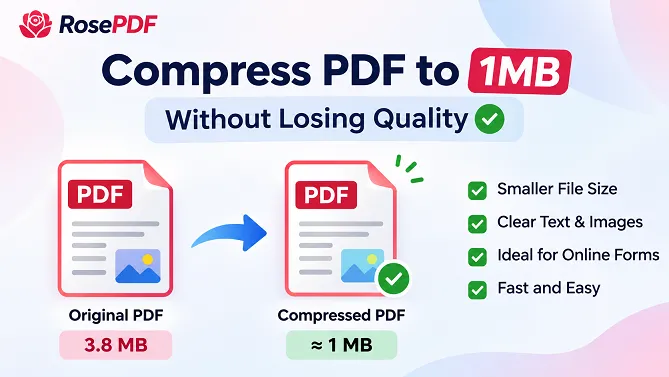
Compress PDF to 1 MB
Make your PDF smaller and choose the size that works for you—all in a few simple steps.
Your file is processed in this browser and is not uploaded to RosePDF’s server.
Choose target size
Choose the maximum file size that fits your needs. Your finished PDF will be shown before you download it.
Your PDF is ready
Continue with Other Tools
Everything you need to manage, convert and organize your files.
Compress PDF to 1MB Without Losing quality
Reducing PDF file size does not always mean compromising its quality. With RosePDF, you can compress your PDF to around 1MB while keeping its text, images, and important details as clear as possible. This is especially useful when uploading certificates, marksheets, scanned documents, or job application forms where both file size and readability matter. The final quality depends on the original PDF and the amount of compression, so it's always a good idea to check your document before submitting it.
Reduce PDF File Size to Around 1MB
When a website asks for a PDF under 1MB, getting the file size as close to that limit as possible can be useful. RosePDF helps compress your PDF to approximately 1MB. For example, the resulting file may be around 1023 KB, 1022 KB, or a similar size, depending on the original document.
This is especially helpful when you don't want your document to become unnecessarily small. The aim is to reduce the file size while keeping the text, photographs, and important details clear enough to read.
How to Compress PDF to 1MB Online?
You don't need any complicated software to reduce your PDF size. Just follow these steps:
- Open the Compress PDF to 1MB tool on RosePDF.
- Select the PDF file you want to compress.
- Start the compression process.
- Wait for the tool to reduce the file size.
- Download your compressed PDF.
- Check the final file size before uploading it to your form or website.
Useful for Government Forms, Job Applications and Certificates
Many online forms have strict document upload limits. Sometimes, a scanned certificate or a PDF containing several pages becomes larger than the allowed size. This can cause problems during form submission.
RosePDF's PDF compressor to 1MB can be useful when you need to:
- Upload documents for government job applications.
- Submit caste, income, and domicile certificates.
- Upload marksheets and educational documents.
- Submit identity documents for online verification.
- Attach PDF files to scholarship and admission forms.
- Share documents through email or messaging apps.
Before uploading, always check the maximum file size mentioned in the application instructions. Some websites specify 1MB, while others may have different limits.
Your PDF Files Are Processed in Your Browser
Your documents are important, especially when they contain personal information such as Aadhaar details, certificates, marksheets, or other identity documents.
That's why RosePDF processes your PDF files directly in your browser. Your selected file is not uploaded to the RosePDF server for compression. The processing takes place on your own device, so you don't have to send your documents to a server to use this tool.
This makes it a convenient option for people who want to reduce PDF file size while keeping their documents on their device.
Check Your PDF Before Uploading
After compression, open your downloaded PDF and check that everything looks correct. Make sure names, dates, photographs, signatures, and other important details are still readable.
Also, remember that 1MB and 1024 KB are commonly used as approximate size equivalents, but file size displays can vary depending on the unit convention used. A file around 1022–1023 KB may be suitable for a 1MB limit, but always follow the exact upload requirements of the website.
Frequently Asked Questions
1. Can I compress a PDF to exactly 1MB?
RosePDF reduces PDF files to around 1MB. Depending on the original document, the final size may be 1023 KB, 1022 KB, or close to these values rather than exactly 1MB.
2. Is my PDF uploaded to the RosePDF server?
No. PDF compression takes place directly in your browser. Your selected PDF file is not uploaded to the RosePDF server for processing.
3. Can I use this tool for government job application forms?
Yes. You can use it to reduce the size of certificates, marksheets, and other PDF documents when a job application portal requires a file size of around 1MB. Always check the portal's upload limit.
4. Will my PDF remain readable after compression?
RosePDF aims to keep the document useful while reducing its size. However, the final quality depends on the original PDF and the amount of compression. Always open and check the downloaded file before submitting it.