
Application Letter Generator
Create a clear, formal application in minutes.
Application details
Step 1 of 2Live preview
Step 2 of 2Your entries and generated application stay in this browser. Nothing is uploaded or saved to a server.
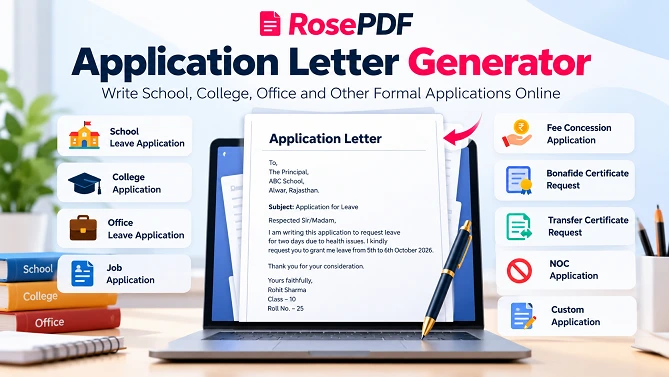
Writing a formal application can take time, especially when you are not sure about the correct format or what information to include. RosePDF's Application Letter Generator helps you create a clear and properly formatted application letter online.
Choose the type of application you need, enter your details, add the reason or request, and generate your application. You can review the letter in the live preview, edit the draft, copy the text, download it as a TXT file, or print and save it as a PDF.
The tool is useful for students, employees, job applicants and anyone who needs to prepare a formal application.
Create an Application Letter Online
With the RosePDF Application Letter Generator, you do not have to start a formal application from a blank page.
Select an application type and enter the required information. The generator creates a structured application that you can review and customize before using it.
You can create applications for school, college, office, jobs, fee concessions, certificates and other common requests.
Application Types You Can Create
The Application Letter Generator supports different types of formal applications, including:
- School leave application
- College leave application
- Office leave application
- Fee concession application
- Bonafide certificate request
- Transfer certificate request
- No-objection certificate request
- Job application
- Custom application
This makes the tool useful for different educational, professional and personal application requirements.
Leave Application Generator
A leave application is commonly required at schools, colleges and workplaces. Instead of writing the complete format manually, you can use the generator to prepare a structured leave application.
Enter your name, designation or class, organization details, leave dates and reason for leave. You can then review the generated application and make any changes before submitting it.
School Leave Application
Students may need to submit a leave application when they are unable to attend school.
A school leave application can include details such as:
- Student name
- Class or course
- Roll number
- School name
- Leave dates
- Reason for leave
- Application subject
The generated draft can be edited according to your school's requirements.
College Leave Application
College students can use the tool to prepare a formal application for leave.
You can enter your name, course, department, college details, dates and reason for requesting leave. The generated application provides a simple starting format that you can customize before submission.
Office Leave Application
Employees may need to submit a formal leave request to their manager or employer.
The generator can help prepare an office leave application with details such as:
- Employee name
- Designation
- Department
- Organization name
- Leave dates
- Reason for leave
- Subject
You can review and edit the application before sending or printing it.
Job Application Letter Generator
A job application should clearly communicate your interest in a position and provide relevant information about your background.
Use the Job Application option to create a basic formal application. Add your name, designation or relevant details and customize the generated letter according to the job and organization.
For a professional job application, always review the generated draft and add information that is specific to the position you are applying for.
Fee Concession Application
Students may need a fee concession application when requesting a reduction in educational fees because of financial or other relevant circumstances.
The generator allows you to prepare a structured request and provide details such as the applicant's information, course or class, fee amount or term and reason for requesting the concession.
You can edit the application before submitting it to your school, college or institution.
Bonafide Certificate Request Application
A bonafide certificate may be required for different educational, professional or administrative purposes.
You can use the generator to prepare a formal request for a bonafide certificate. Enter the relevant applicant and institution details and customize the request according to your requirement.
Transfer Certificate Request Application
If you need to request a transfer certificate from an educational institution, you can create a formal application using this tool.
Add your personal and academic information and explain your request clearly. Review the generated letter and update any details required by your institution.
No-Objection Certificate Request
A No-Objection Certificate, commonly called an NOC, may be required for different official purposes.
The application generator provides a simple way to prepare a formal NOC request. You can enter your details and explain the purpose of the request before finalizing the application.
Custom Application Letter
Not every request fits into a standard application category. That's why the generator also provides a Custom Application option.
You can use this option when you need to write an application for a specific purpose that is not listed in the standard categories.
Add your own subject and request details, then edit the generated draft to match your exact requirement.
How to Create an Application Letter Online
Creating an application with RosePDF is simple:
Step 1: Select the Application Type
Choose the type of application you want to create, such as school leave, office leave, job application or custom application.
Step 2: Enter Your Details
Provide the required information such as your name, class or designation, department, organization and other relevant details.
Step 3: Add Your Request or Reason
Explain why you are submitting the application. Keep the information clear and relevant to your request.
Step 4: Generate the Application
Click the Generate Application button to create your draft.
Step 5: Review and Edit
Check the live preview carefully. You can edit the draft and correct any information before using it.
Step 6: Copy, Download or Print
Once your application is ready, you can copy the text, download the application as a TXT file, or use the print option to save or print it as a PDF.
What Information Should an Application Letter Include?
A formal application generally contains several important parts. Depending on the application type, these may include:
- Recipient details
- Applicant name
- Class or designation
- Department or course
- Organization or institution
- Date
- Subject
- Reason or request
- Closing statement
- Applicant name and other relevant details
The exact information can vary depending on the purpose of the application.
Application Letter Format
A clear application letter normally follows a simple formal structure.
To:
Recipient or authority
Date:
Date of the application
Subject:
Short description of the request
Respected Sir/Madam,
Main application message explaining the request and relevant details.
Thank you for your time and consideration.
Yours sincerely,
Applicant name
You can customize this format according to your school, college, workplace or organization.
Application Letter Generator in English
If you need to write an application in English but are unsure about the proper format, this tool can help you create a structured English application.
You can select the appropriate application type and provide your information. The generated draft can then be edited so that it accurately reflects your situation.
Why Use an Online Application Letter Generator?
Writing an application manually can be time-consuming when you are unsure about the correct structure. An online application generator can provide a useful starting point.
Save Time
Create a basic application draft without starting from a blank document.
Choose Different Formats
Select from several common application types based on your requirement.
Easy to Customize
Review the generated application and edit the text before using it.
Live Preview
See the application while entering your information.
Copy or Download
Copy the finished text or download it as a TXT file.
Print or Save as PDF
Use the print option when you need a printable application or want to save it as a PDF.
Who Can Use This Application Generator?
The tool can be useful for:
- School students
- College students
- Teachers
- Employees
- Job applicants
- Office workers
- Parents
- Professionals
- Anyone who needs a formal application
Whether you need a leave application, certificate request, job application or another formal request, you can use the generator to prepare a starting draft.
Application Letter Generator for Students
Students often need applications for leave, fee concession, bonafide certificates, transfer certificates and other academic requests.
Instead of searching for a different application format for every requirement, students can use the available application types in one place and customize the generated draft according to their institution.
Application Letter Generator for Office Use
Employees can use the tool to prepare basic office applications such as leave requests and other formal requests.
Enter your designation, department, organization and other relevant information, then review the generated application before submitting it.
Edit Your Application Before Submitting
An application generated online should always be checked before it is submitted.
Make sure that:
- Your name is correct
- Dates are correct
- Recipient information is correct
- The subject matches your request
- Your reason is accurate
- Organization or institution details are correct
- There are no spelling mistakes
You can edit the generated draft before copying, downloading or printing it.
Free Application Letter Generator Online
RosePDF provides an easy way to create common formal applications online. You can select an application type, enter your information and generate a draft without manually creating the complete format from scratch.
The tool is designed to make application writing simpler for students, employees and other users who need formal letters.
More Useful RosePDF Tools
After creating your application, you may also find these RosePDF tools useful:
- Resume Builder – Create a structured resume online.
- Salary Slip Generator – Generate a salary slip with your details.
- PDF Page Manager – Organize and manage PDF pages.
- Image Converter – Convert images between JPG, PNG and WebP formats.
- Image Compressor – Reduce image file size when needed.
- Passport Size Photo Maker – Prepare passport-size photos online.
Create Your Application Online
Need to write a school application, office leave request, job application or certificate request?
Use the RosePDF Application Letter Generator to create a structured application, review the draft and customize it according to your needs.
Create your application online and get your formal letter ready in minutes.
Frequently Asked Questions
- What is an Application Letter Generator?
An Application Letter Generator is an online tool that helps you create a structured formal application based on the type of request and information you provide. - Can I create a school leave application?
Yes. You can select the School Leave Application option and enter the required details to prepare a draft. - Can I create an office leave application?
Yes. The tool includes an Office Leave Application option for preparing a formal workplace leave request. - Can I create a job application letter?
Yes. You can select Job Application and customize the generated draft according to the position and organization. - Can I create a fee concession application?
Yes. The tool includes a Fee Concession Application option. - Can I create a bonafide certificate request?
Yes. You can select the Bonafide Certificate Request option and customize the generated application. - Can I create a transfer certificate request?
Yes. The generator includes a Transfer Certificate Request option. - Can I create an NOC application?
Yes. You can use the No-Objection Certificate Request option to prepare a formal request. - Can I create a custom application?
Yes. The Custom Application option allows you to create an application for a purpose that is not covered by the standard categories. - Can I edit the generated application?
Yes. You should review and edit the generated draft to make sure all information is accurate and appropriate for your specific situation. - Can I download the application?
Yes. The tool provides an option to download the generated application as a TXT file. - Can I save the application as PDF?
You can use the Print / Save PDF option to print the application or save it as a PDF through your browser's print dialog.