
QR Code Generator
Create stylish QR codes for links, text, phone, email, Wi-Fi, WhatsApp, SMS and contact cards.
Live Preview
Your QR code will be previewed here. Before downloading, scan it once with your phone to make sure it works correctly.
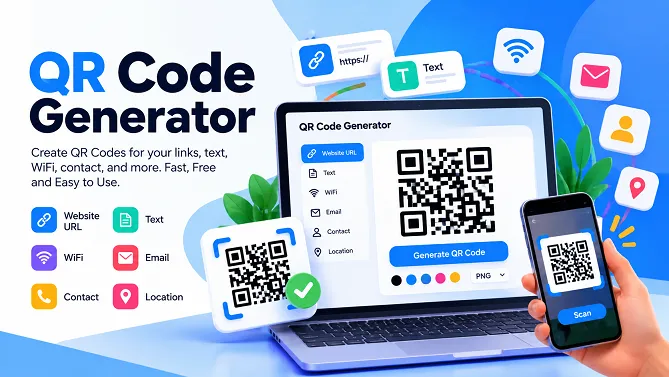
QR Code Generator
Create custom QR codes online for free with RosePDF’s easy-to-use QR Code Generator. Enter your information, generate your QR code instantly, and download it for printing, sharing, or adding to your digital content.
Whether you want to create a QR code for a website URL, text, phone number, email address, Wi-Fi network, or other information, RosePDF makes QR code creation quick and simple.
Create a QR Code Online
QR codes provide a convenient way to share information without asking someone to type a long web address or manually enter details.
With RosePDF, you can turn your information into a scannable QR code in just a few steps. Enter the required details, generate the code, preview it, and download the finished QR image.
You can use the generated QR code on business cards, posters, flyers, menus, product packaging, invitations, documents, websites, and social media graphics.
What Can You Create With Our QR Code Generator?
Depending on the available options in the tool, you can create QR codes for different types of information, including:
- Website URLs – Share a website, landing page, or online resource.
- Plain Text – Convert text or notes into a scannable QR code.
- Phone Numbers – Make it easier for people to access a phone number.
- Email Addresses – Create a QR code containing email information.
- Wi-Fi Details – Share Wi-Fi network information without manually typing it.
- Contact Information – Share useful contact details through a QR code.
How to Generate a QR Code
Creating a QR code with RosePDF is simple:
- Choose the type of QR code you want to create.
- Enter the required information.
- Check the details before generating the code.
- Click the Generate QR Code button.
- Preview your QR code.
- Download the generated QR image.
Once downloaded, you can use the QR code wherever you need it.
QR Code Generator for Websites
If you need to share a website with customers, visitors, or your audience, a QR code can make the process easier.
Instead of typing a URL manually, users can scan the QR code with their phone and access the website. You can add a website QR code to business cards, posters, brochures, advertisements, menus, packaging, and printed documents.
QR Code for Wi-Fi
Sharing Wi-Fi information can be inconvenient when the network name or password is difficult to type.
A Wi-Fi QR code can make connecting easier by allowing a compatible phone to scan the code and use the encoded network information.
This can be useful for homes, offices, hotels, restaurants, cafes, shops, classrooms, and other locations where visitors frequently need internet access.
QR Code for Business
Businesses can use QR codes in many different ways. A QR code can provide quick access to a website, contact details, digital information, menus, product pages, or other online resources.
You can print your QR code on:
- Business cards
- Flyers
- Posters
- Brochures
- Menus
- Product packaging
- Receipts
- Invitations
- Marketing materials
A well-placed QR code can connect your offline material with your online content.
Free QR Code Generator
RosePDF provides a simple way to generate QR codes online without complicated software. You can create a QR code directly from your browser and download the resulting image for your own use.
The tool is designed for quick everyday QR code creation without requiring advanced technical knowledge.
Static QR Code vs Dynamic QR Code
A QR code generally contains the information that has been encoded into it. With a basic static QR code, changing the destination later usually requires creating a new QR code.
For example, if you encode a specific website URL into a static QR code, that QR code will continue to represent the encoded URL.
RosePDF’s QR Code Generator is useful when you want to create a QR code containing information directly, rather than managing a separate QR-code tracking platform.
Where Can You Use a QR Code?
QR codes have many practical uses. You can add them to both digital and printed materials.
Common examples include:
Business: business cards, advertisements, product packaging and promotional material.
Restaurants: menus, ordering information and website links.
Events: invitations, event information and registration pages.
Education: learning resources, documents and online materials.
Personal use: contact information, Wi-Fi sharing and links.
Websites: connect printed material with an online page.
Tips for Making a Scannable QR Code
A QR code needs to be easy for a phone camera to recognize. Keep these points in mind when using your generated code:
- Make sure the QR code is large enough for its intended use.
- Avoid placing it on a visually confusing background.
- Leave enough clear space around the QR code.
- Test the downloaded QR code with a phone before printing.
- Make sure the encoded information is correct.
- For printed materials, test the final printed version as well.